Usually missing
Talk-back mic
Needs a mixer channel, a spare mic, and everyone on headphones. Fine when the desk has it. Most rooms don't.
 ClickCue
Get it free
ClickCue
Get it free
For musicians who plan the set and cue the band
Organise your songs, plan the set list, then put the same beat and the next section on every stand. No talk-back mic, in-ears, or extra hardware.
Why ClickCue
Talk-back and in-ears are great when a venue has them. ClickCue is for everywhere else: phones you already own, used for count-in, section cues and dynamics without extra hardware.
Usually missing
Needs a mixer channel, a spare mic, and everyone on headphones. Fine when the desk has it. Most rooms don't.
Usually missing
The cleanest way to hear click and cues, if every musician has packs, mixes, and time to set them up.
What you already have
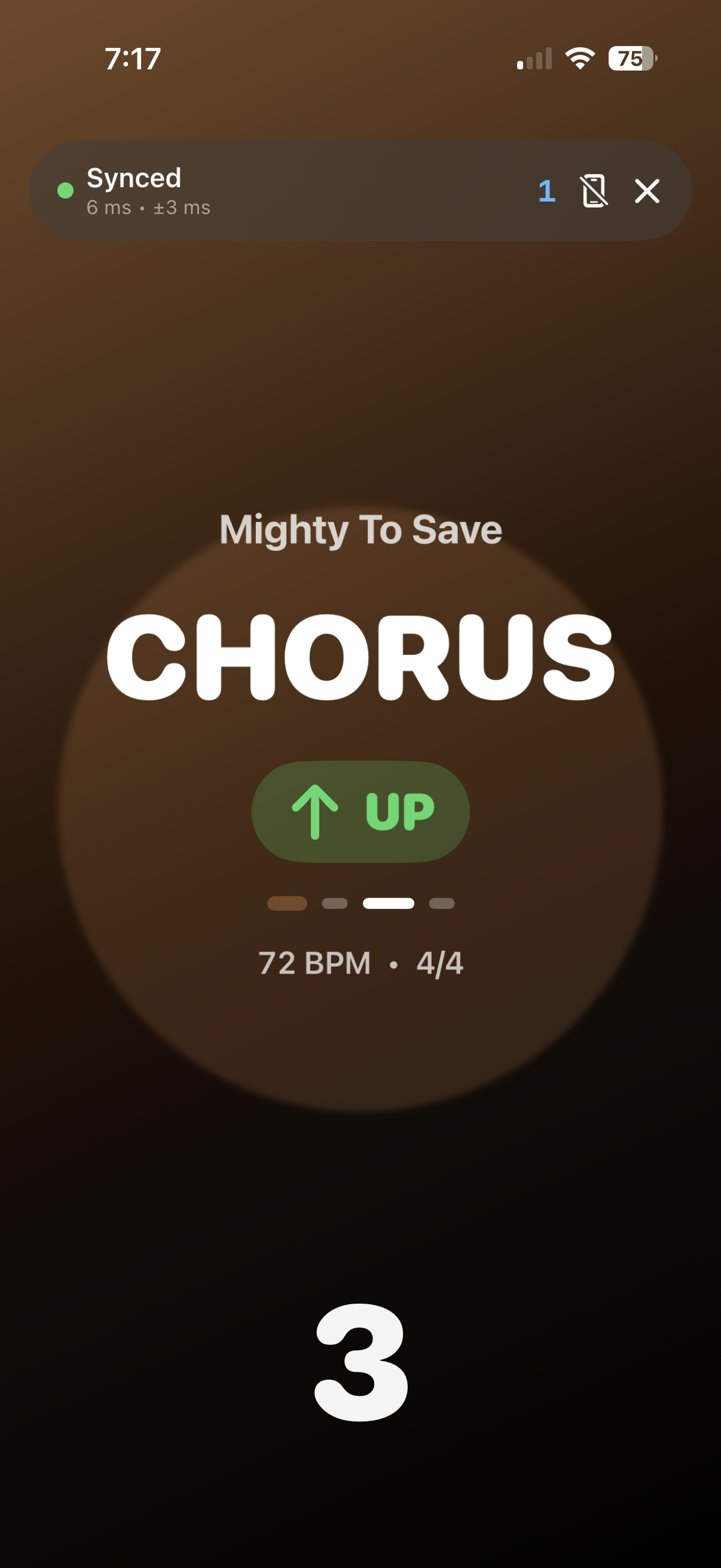
A screen on every stand. Count-in, the next section, and dynamics land together. No extra kit.
A wireless click on every stand, clear cues in the room, and a library for planning the set.
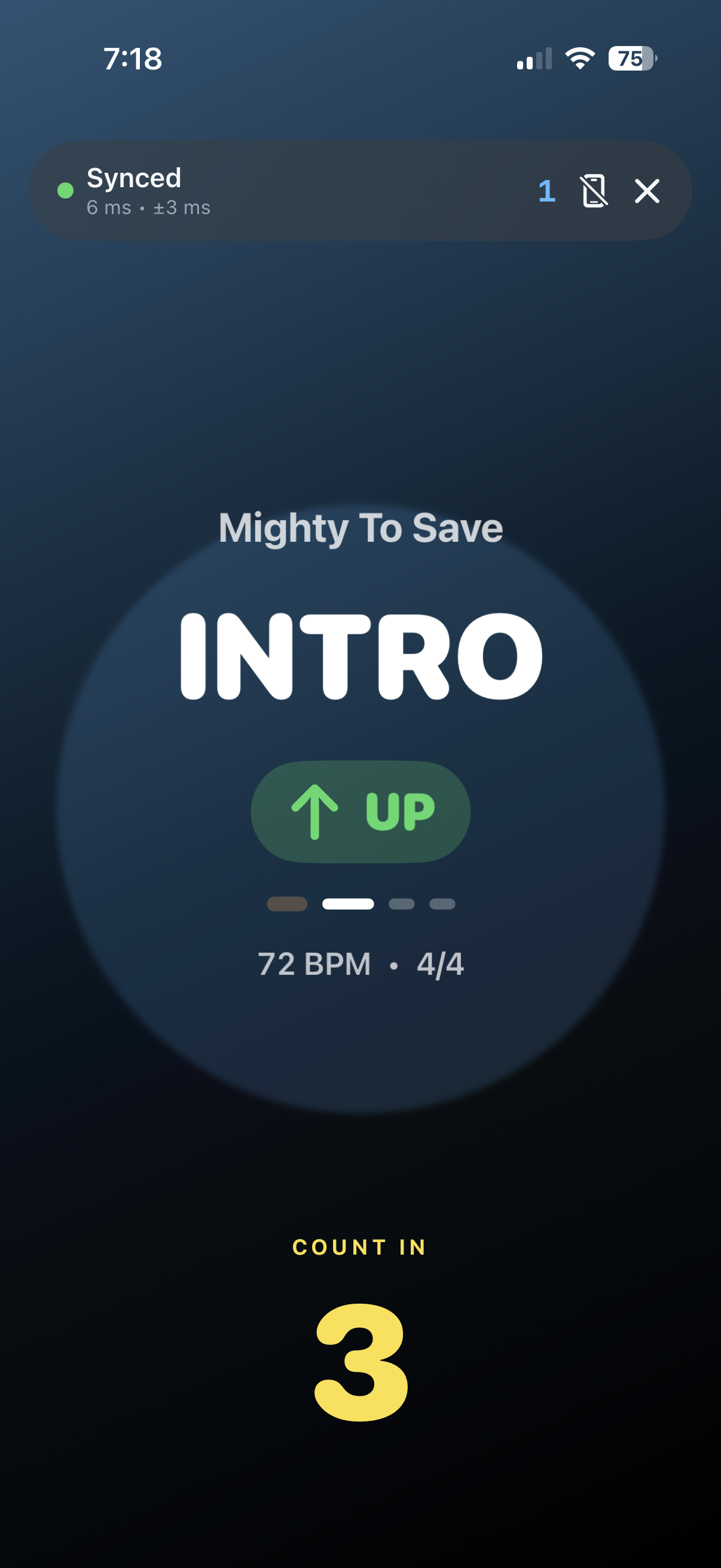
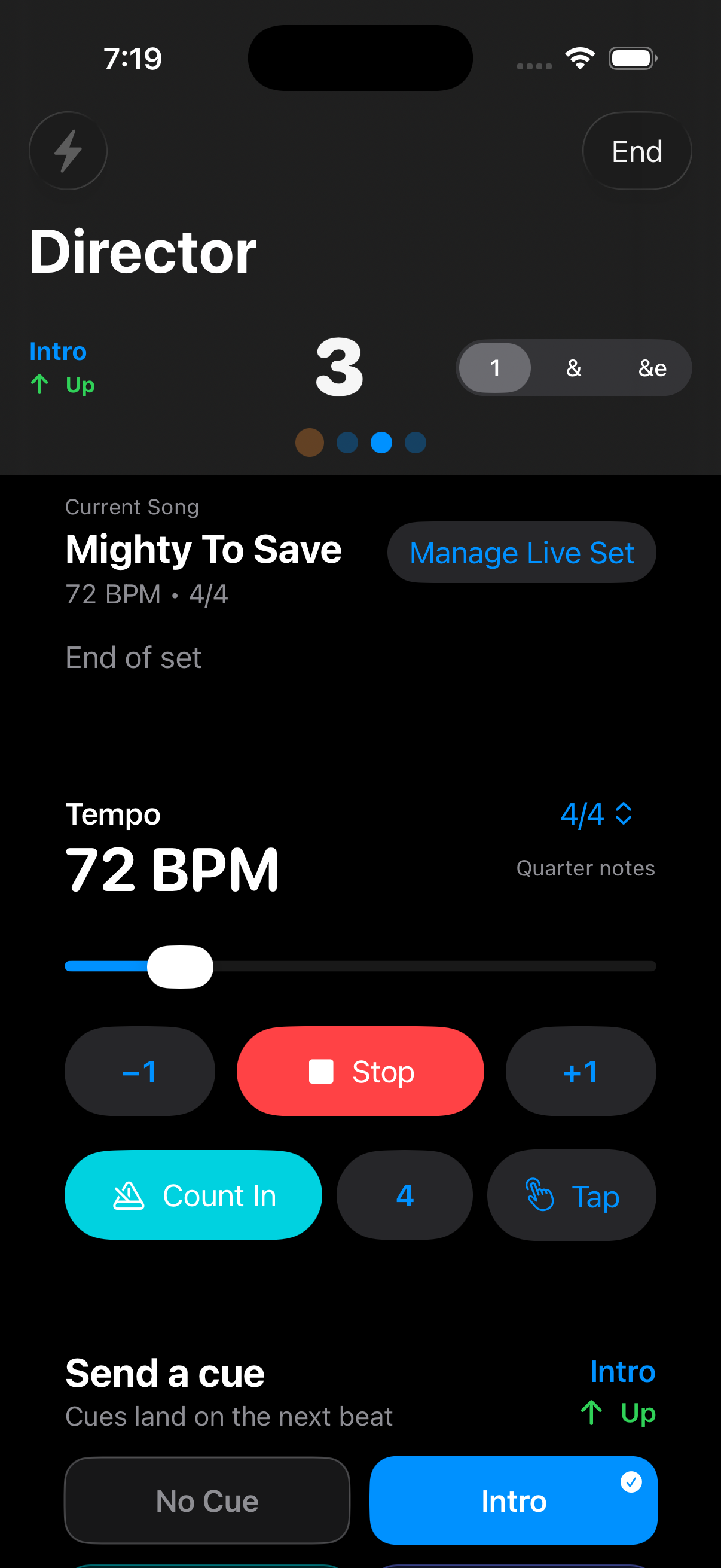
Every phone follows the same beat over local Wi-Fi. No extra hardware, talk-back, or in-ears. The big number is the visual click. Optional headphone click and spoken cues stay on your device. Headphones-only is on by default, with count-in and tap tempo when you need them.
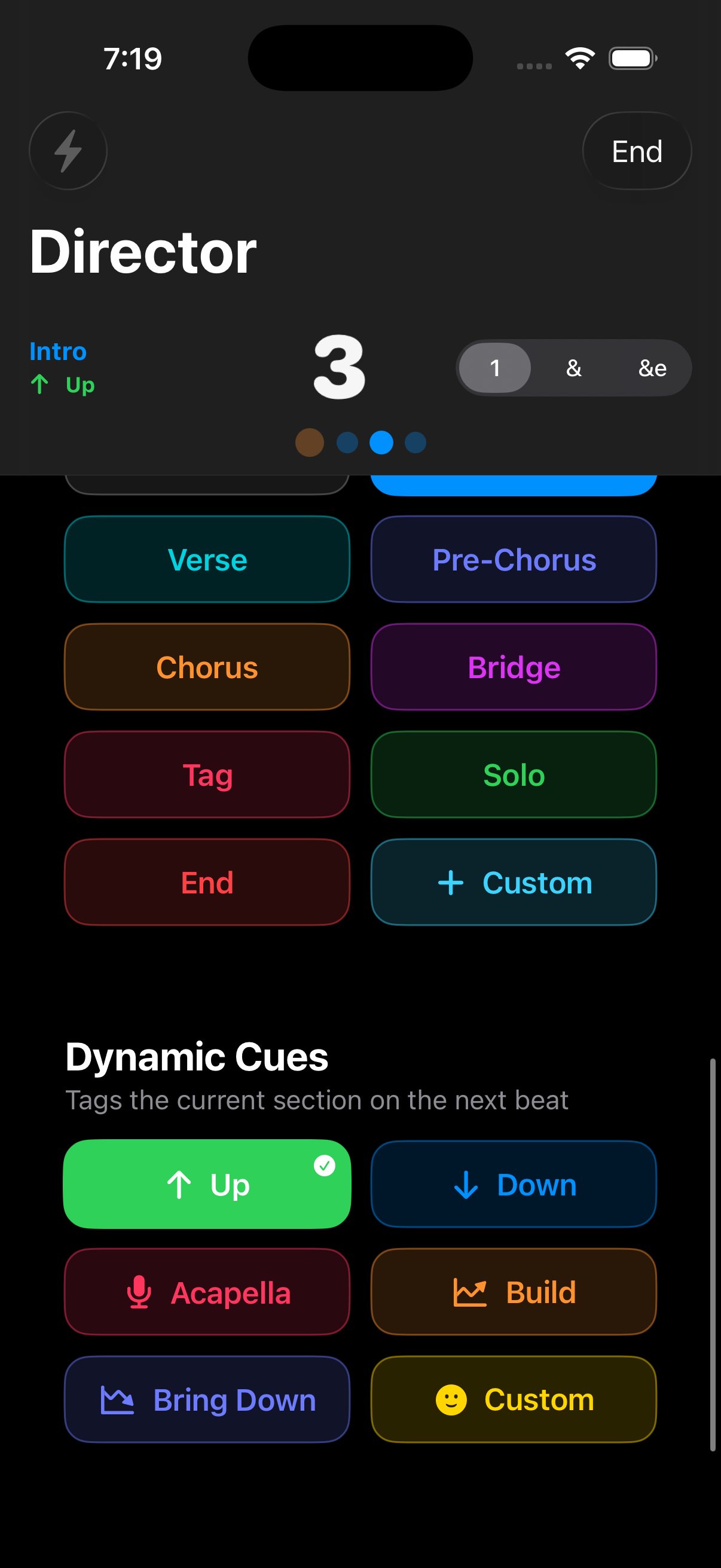
Intro, Verse, Pre-Chorus, Chorus, Bridge, Tag, Solo, End. Each has its own colour, can be spoken in your headphones, and lands on the next beat. Flash the band when you need every eye up.
Add Up, Down, Acapella, Build, Bring Down or any emoji on top of the section without losing where you are. Voice cues call the same tags.
A great way for musicians to organise their songs. Keep tempo, time signature, keys, tags, notes and PDF charts in one place, then filter and sort to find the next song fast.
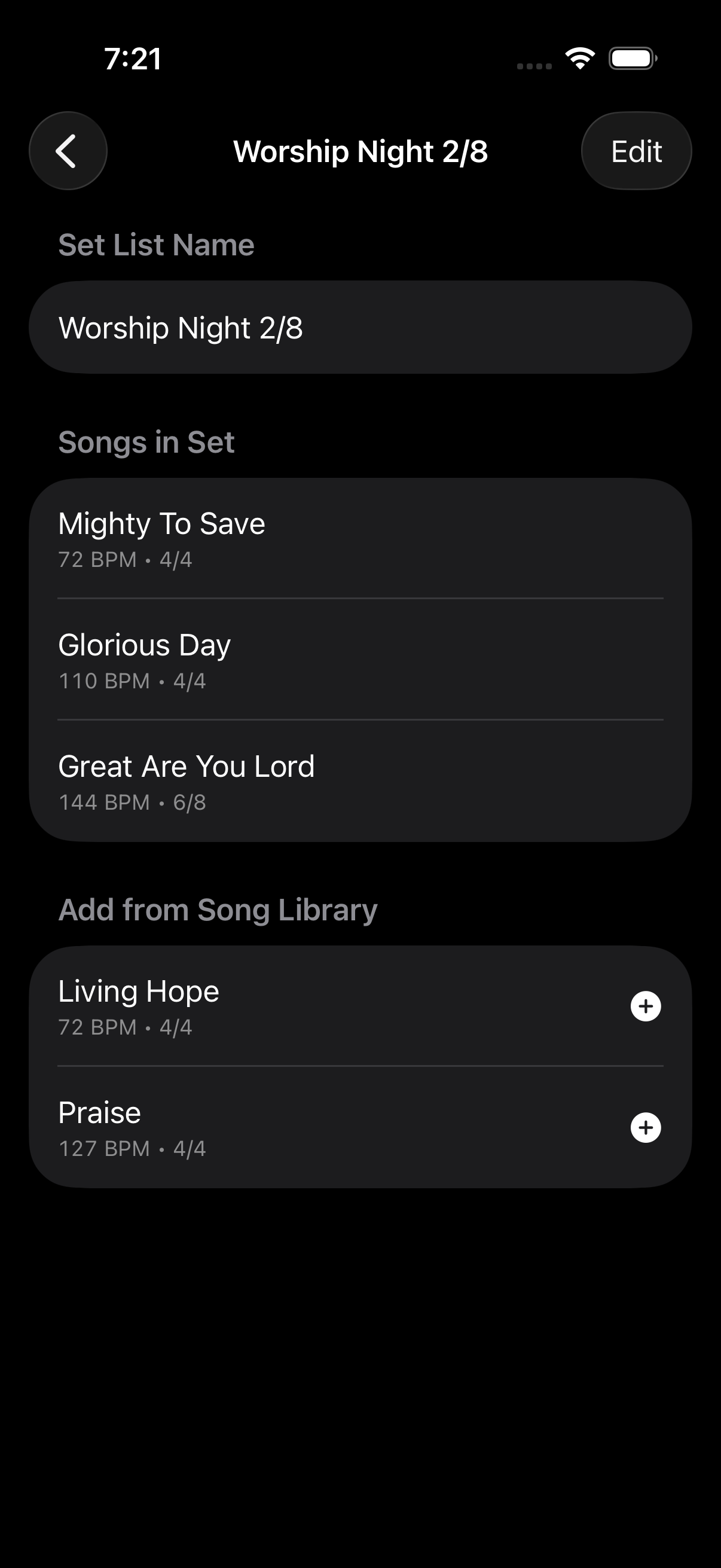
Build reusable set lists from the library, with blend suggestions for songs in the same time signature, within one tone and 3 BPM. Share .clickcue files, then load a set live without changing the original.
Two devices on the same Wi-Fi is the whole setup.
Organise songs with tempo, time signature, keys, tags, notes and count-in, then plan reusable set lists. Colour tags, attach a PDF chart, sort or filter, and use blend suggestions for songs that sit well together.
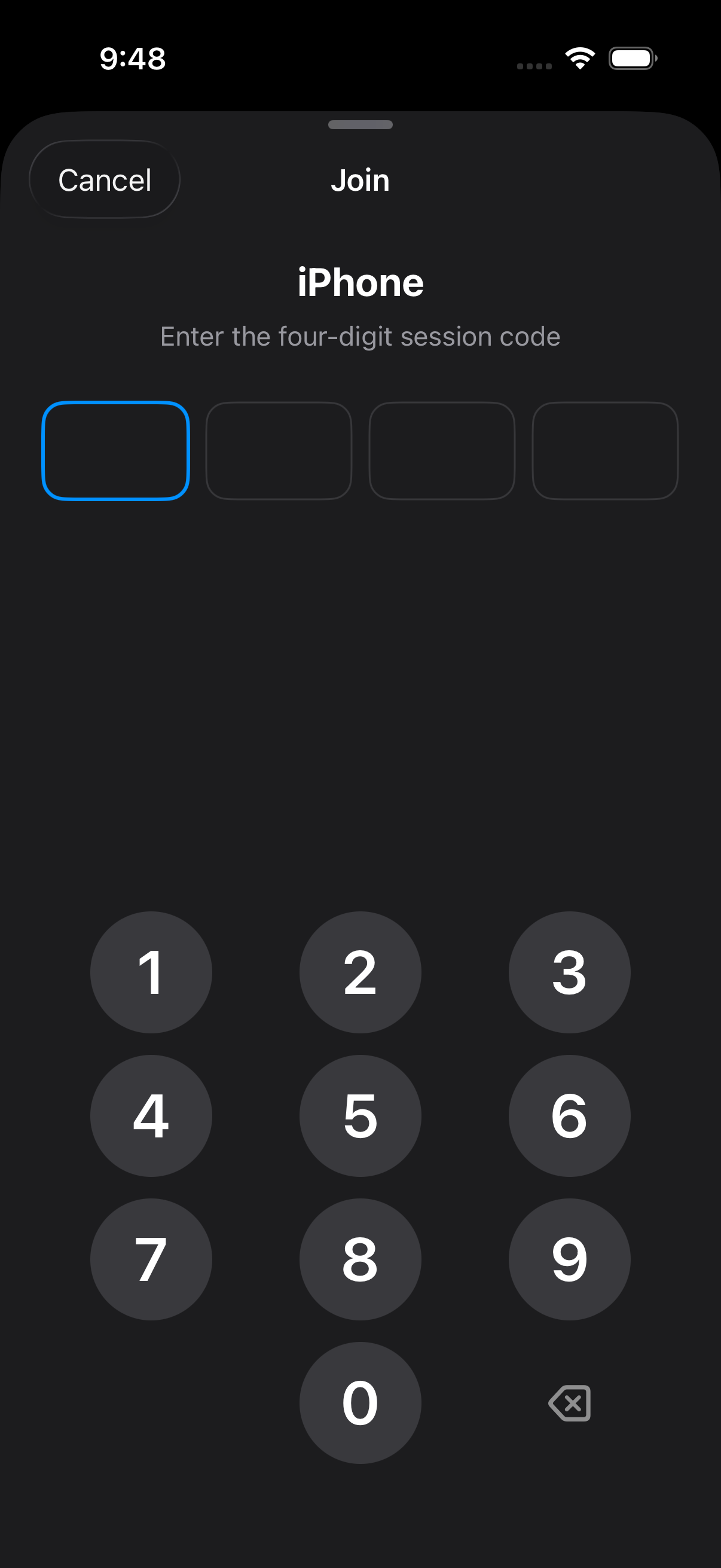
One person taps Music Director. ClickCue shows a four-digit session code. Use the compact toggles for flash, click, voice and headphones.
Everyone else taps Musician, picks the director from the nearby list, and types the code on the keypad. Tap the stage to show or hide controls.
Hit Count In. Every screen counts down together, then pulses as one. Send cues as the song moves. Open the chart in one tap when the PDF is on that device. Keep click in headphones so a dropped cable stays silent.
Version 2.2
The song library is a core part of ClickCue. Organise your repertoire, plan set lists, and take that plan on stage.
ClickCue is a great way for musicians to organise songs and plan set lists. Songs, tags, charts, notes and reusable sets live in one library you prepare before the gig.
Build set lists with suggestions for songs in the same time signature, within one tone and 3 BPM. Manage tags and colours in one place, then filter and sort to find the next song fast.
Attach a PDF chart, add notes, and open either in one tap from Director or Musician. Share songs or whole set lists as .clickcue files via AirDrop, Messages or Files.
Easy to read in a dark room. Clear enough to check mid-phrase.
"Chorus!" shouted over the drums is not a cue. Every music director without talk-back or in-ears
Yes. Free to download and use on iPhone and iPad. No subscriptions, no in-app purchases, and no paid account.
Yes. The song library is a core part of ClickCue. Keep tempo, keys, tags, notes and PDF charts on each song, then build reusable set lists for Sundays, rehearsals or gigs. Blend suggestions help you pick songs in the same time signature, within one tone and 3 BPM. Share songs or whole sets as .clickcue files.
No. That is the point. ClickCue is for rooms and bands that have neither. Put a phone on each stand and the music director can call count-in, the next section and dynamics without shouting, waving, or extra hardware. If you already have in-ears, it still works with them.
Yes, if you want one. Turn on click and spoken cues on your own device. Headphones-only is on by default, so unplugging mid-set will not play through the speaker. Wired headphones stay tighter to the beat than Bluetooth. ClickCue still does not send audio to monitors or front of house.
Yes. Each device can speak section cues such as Chorus and dynamic tags such as Build when the music director sends them. The first spoken cue no longer drops the click. Custom emoji tags stay visual.
Neither. Devices talk over your local Wi-Fi, and the four-digit code encrypts the session. Nothing is uploaded.
Every device follows the director's timeline instead of counting its own timer ticks, so nobody drifts over time. Version 2.2 keeps that sync tight, including a smoother pulse on 120 Hz screens. On a normal nearby connection we aim for about 20 ms or better pulse skew.
3/4, 4/4, 5/4, 6/4 and 6/8. In 6/8 the tempo is the dotted-quarter pulse, the beat numbers count 1 to 6, and the musician click follows those six written eighths, matching the director.
ClickCue reconnects and re-syncs when they come back, without stopping the rest of the band. Musician reconnect shows elapsed time and guidance, with Cancel back to the home screen. If the director disconnects, musicians stay on the last beat instead of seeing a false count-in.
Yes. Each musician can choose quarter, eighth, sixteenth or triplet pulses locally, without changing what anyone else sees.
Yes. Attach a chart to each song in the library. Detection is tuned for SongSelect layouts and can suggest title, tempo, key and time signature for you to review before applying. From Director or Musician, open the current song's chart in one tap when the PDF is on that device.
Yes. Share songs and set lists as .clickcue files via AirDrop, Messages or Files. If the share includes charts, ClickCue asks you to confirm you have the right to share them.
Each song can have optional female, male and default keys, colour-coded in the editor and library. Manage tags from the library to create them and set colours, then add them to songs to organise and filter. Add notes on a song, then open them from Director or Musician while that song is current. Blend suggestions appear in the song editor and set list builder for songs in the same time signature, within one tone and 3 BPM.
Free. No subscriptions, no in-app purchases. iPhone and iPad, iOS 18 or later.
Download free on the App StoreRequires two or more devices on the same Wi-Fi network.